Set up with Bluetooth
By Dan Jenkins on 5 November 2026
BeginnerBluetooth setup needs a computer or Android phone with Google Chrome or Microsoft Edge. It is a good option if your computer has no USB-C port.
- Power on the board and keep your computer or phone close to it.
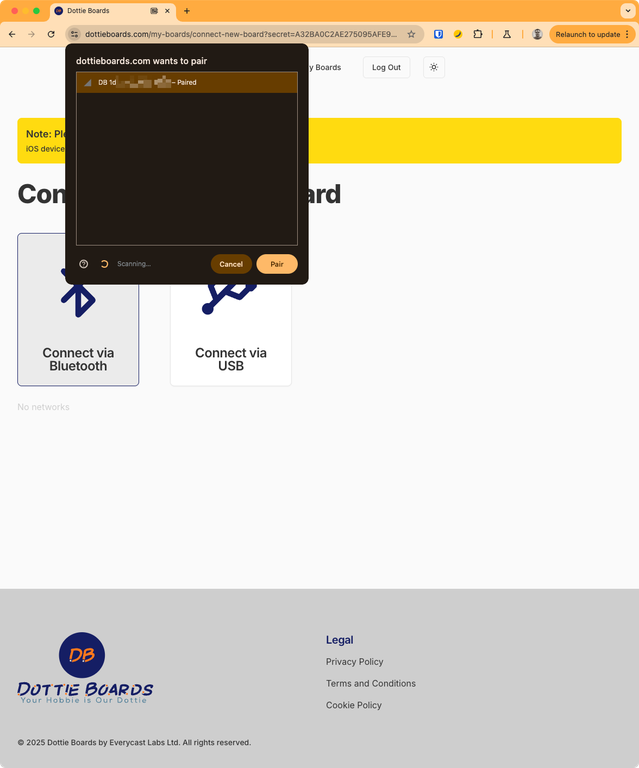
- On dottieboards.com create an account if you need to, choose Connect new board and then Bluetooth.
- In the popup, choose the device named DB followed by your board's serial number.
- A form lists all the WiFi networks in the area. Select your network and enter its password.
- The board restarts. Power-cycle it (unplug it and plug it back in) once so it starts cleanly, then enter the code it displays where the website says Connect with a code.
Important: Your WiFi password is never sent to our servers. It goes directly to the board.
Bluetooth setup is not available on iPhone or iPad. Use the board's own WiFi instead.
Was this article helpful?
No comments yet. Login to start a new discussion Start a new discussion